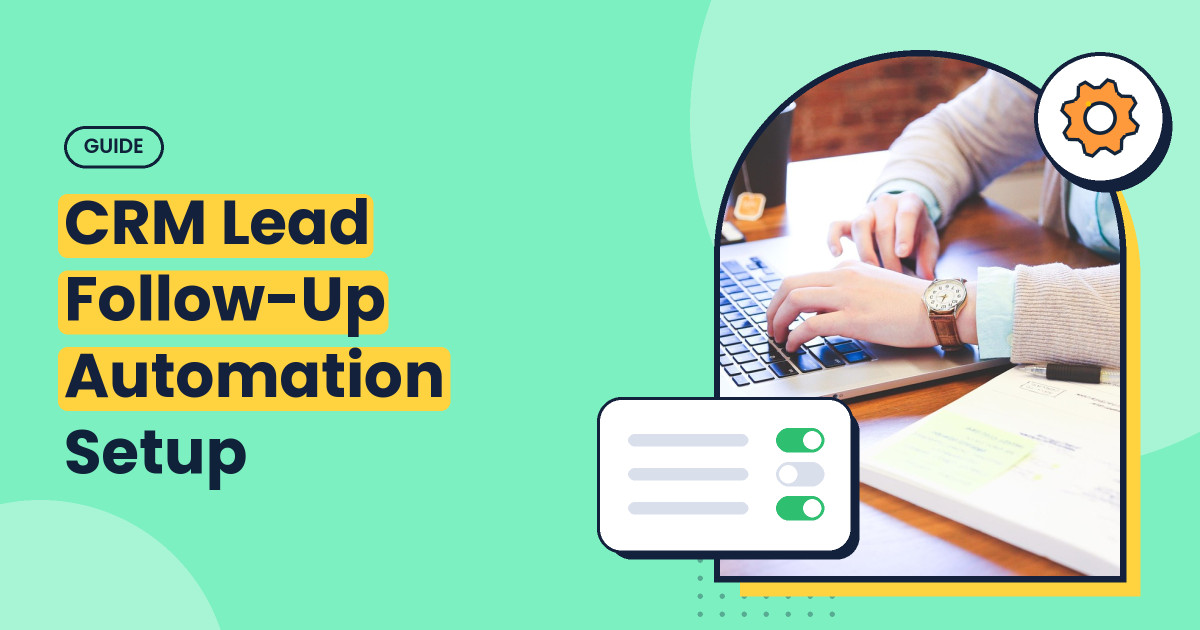
CRM Lead Follow-Up Automation Setup
A homeowner notices a leaking pipe at 7:00 PM on a Tuesday. They fill out quote requests on three different plumbing websites. The first company sends a personalized text message within two minutes confirming receipt and offering available booking slots for the next morning. The other two companies check their inbox at 8:30 AM the following day. By that time, the job is already sold. Service businesses across the United States lose qualified prospects every day simply because manual response times cannot match buyer expectations. Implementing structured crm lead follow-up automation bridges this gap by ensuring that every web form, phone inquiry, and profile submission receives an immediate, tailored response.
Quick answer: CRM lead follow-up automation is software that automatically captures web inquiries, sends instant responses via text or email, updates contact records, and schedules follow-up tasks for your sales team. This technology eliminates manual delay, standardizes message quality, and ensures prospective clients are engaged seconds after requesting information.
Why Is Speed Crucial in Lead Follow-Up?
When a potential client reaches out to an HVAC contractor, electrician, or legal firm, their intent to hire is at its peak. Research shows that prospects are far more likely to convert if they receive a reply within five minutes. If a service business takes several hours or days to respond, the prospect moves on to a competitor who answers first. Manual lead management relies on staff members monitoring inboxes while managing job sites or serving current clients, leading to missed calls and delayed replies.
Using automated systems changes this dynamic completely. By linking incoming web forms and landing pages to dedicated backend triggers, your operations run continuously without human delay. Implementing workflow automation services allows small businesses to deliver instant confirmations, direct prospects to self-scheduling calendars, and log client details into a central system without extra administrative work.
Common reasons manual follow-up falls short include:
- Response delays caused by after-hours or weekend inquiries.
- Inconsistent communication styles across different staff members.
- Forgotten follow-ups due to disorganized spreadsheets or paper notes.
- Inability to track which prospective clients have been contacted.
How Does CRM Lead Follow-Up Automation Work?
At its core, crm lead follow-up automation connects client acquisition channels directly to a central database and communication system. When an inquiry enters your business through a website form, a Google profile button, or an online booking tool, a pre-set digital workflow activates instantly. The system creates a detailed contact record, assigns a status label, and dispatches an initial response across SMS or email within seconds.
The automated system then follows a structured logic sequence designed to move the prospect toward a consultation or service appointment. For example, if the prospect does not respond to the initial confirmation text within 24 hours, the workflow sends a polite follow-up email. If they open the email and click a link to view service options, the platform can automatically alert a member of your staff to make a direct phone call. Incorporating targeted email marketing automation services helps nurture prospects who are not ready to book right away by sending helpful educational content over several weeks.
A standard automated workflow follows these distinct steps:
- Lead capture: Automatically collecting inquiry details from web forms or messaging channels.
- Instant response: Dispatched via text message or email within seconds of submission.
- CRM logging: Recording contact details, lead source, and timestamp in a unified system.
- Conditional follow-up: Sending scheduled reminders based on client actions or inaction.
- Staff notification: Alerting team members when human intervention or phone calls are required.
Which Steps Should You Automate First?
Building an efficient automated sequence does not require automating your entire business overnight. Service providers achieve the best return on investment by starting with high-volume, repetitive touchpoints. The immediate response after form submission is the single most critical step to automate. Confirming receipt of an inquiry and providing clear next steps calms buyer anxiety and prevents prospects from continuing their search online.
Next, focus on appointment booking and reminder sequences. Connecting client scheduling tools directly to your business management software allows clients to choose available time slots without back-and-forth phone calls. Once booked, automated SMS reminders dramatically reduce no-shows. Additionally, pairing your intake forms with clean website design services ensures that form submission fields are clear, mobile-friendly, and simple to complete. Proper design combined with automated lead handling is essential for turning website visitors into paying customers.
When prioritizing automation projects, focus first on these essential sequences:
- Immediate inquiry acknowledgement: Sending immediate SMS or email confirmations upon form completion.
- Automated appointment scheduling: Providing direct links to select consultation times.
- Multi-touch prospect nurturing: Sending follow-up sequences to unanswered inquiries over 7 to 14 days.
- Customer review requests: Triggering feedback invitations automatically after job completion.
What Mistakes Hurt Lead Follow-Up Workflows?
While automated tools save time and boost response speeds, poorly configured workflows can frustrate prospective clients. One frequent mistake is using overly generic or robotic messaging. Automated messages should sound friendly, direct, and helpful, written in plain language that reflects your actual business voice. Avoid robotic greetings or heavy sales pitches in the initial reply.
Another major mistake is failing to stop automated messages once a prospect replies or books an appointment. Receiving an automated reminder to book a consultation after already scheduling one creates confusion and damages client trust. Working with an experienced business process automation company helps ensure conditional logic is configured properly, so that manual responses or status updates automatically pause nurture tracks.
Avoid these common operational pitfalls:
- Sending repetitive or aggressive sales messages that push prospects away.
- Failing to integrate messaging tools with your central customer database.
- Neglecting to test form submissions across mobile devices and desktop web browsers.
- Over-automating personal touchpoints where direct human conversation is required.
Key Takeaways for Service Businesses
- Instant response speeds: Automated replies engage prospects within seconds, keeping them from contacting competitors.
- Consistent communication: Pre-written templates ensure every lead receives professional, accurate information.
- Higher conversion rates: Multi-touch follow-up sequences keep your business top of mind until the client is ready to buy.
- Saved administrative time: Eliminating manual data entry and repetitive follow-up tasks frees your team to focus on core operations.
- Data clarity: Centralizing lead interactions provides clear visibility into response rates and lead pipeline health.
Frequently Asked Questions
How fast should automated replies trigger?
Automated replies should ideally trigger within 30 to 60 seconds of form submission. Immediate delivery captures prospect interest while they are still actively browsing your site or looking for services.
Does automated follow-up feel robotic?
Automated communication only feels robotic if templates are poorly written. By using conversational language, short sentences, and personalized contact fields, automated messages feel authentic and attentive.
Can small teams set up automated follow-up?
Yes, small teams can easily implement simple follow-up sequences using modern business management tools. Starting with a basic form confirmation sequence requires minimal technical setup and yields immediate benefits.
If slow reply times are causing your service business to miss out on valuable prospective clients, we are here to help. Contact us today to request a comprehensive workflow review and see how smart lead follow-up solutions can improve your customer intake process.
Automate Your Lead Response Workflow
Talk with us about streamlining your lead follow-up process and eliminating response delays.